





电影列表
本课属于 Coddy HTML 学习旅程的“使用 CSS 添加样式”单元。第 74 课,共 76 课。

挑战
简单为 4 张电影卡片设置样式,并将它们排列成一列。最终设计看起来会与下图相似,但你也可以自由使用自己的配色。
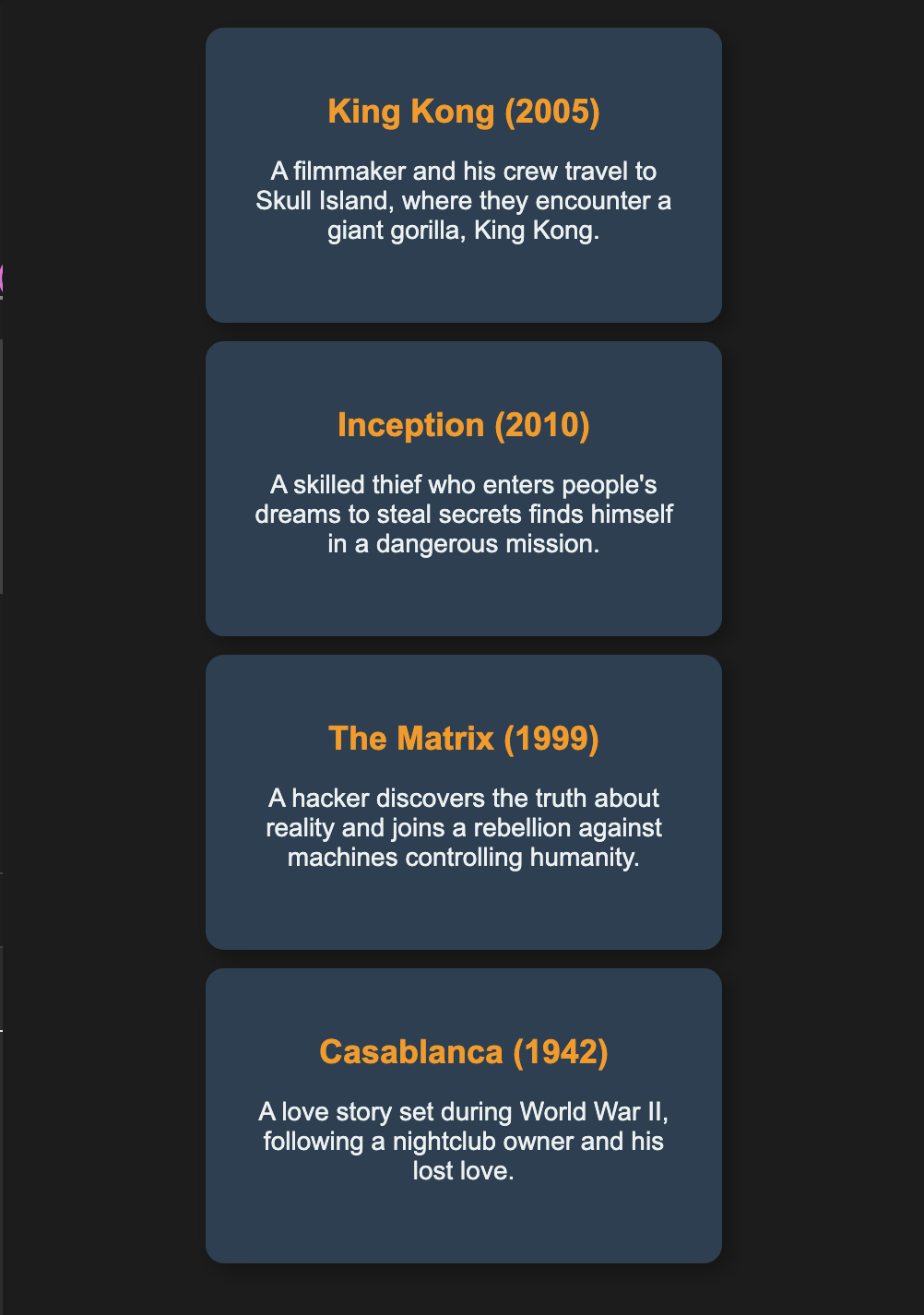
按照以下步骤操作:
- 使用
display: flex; flex-direction: column;将电影卡片竖直排列成一列。 - 使用
justify-content: center;让这一列垂直居中。 - 使用
align-items: center;让卡片正确对齐。 - 为每张电影卡片设置固定尺寸和柔和的颜色。
- 为每个电影卡片添加一些
margin-bottom和padding,让卡片之间留出间距并提升可读性。 - 应用
box-sizing: border-box,避免出现意外的间距问题。 - 使用
overflow: auto处理卡片中的额外文本。
你可以自由添加 box-shadow、border-radius、font-family,并为标题设置不同的字体颜色,让设计更出众、更美观。
亲手试试
<html>
    <head>
        <title>Movies</title>
        <link rel="stylesheet" href="styles.css">
    </head>
    <body>
        <div class="movies">
            <div class="movie">
                <h2>King Kong (2005)</h2>
                <p>A filmmaker and his crew travel to Skull Island, where they encounter King Kong.</p>
            </div>
            <div class="movie">
                <h2>Inception (2010)</h2>
                <p>A thief who enters dreams to steal secrets faces his toughest mission yet.</p>
            </div>
            <div class="movie">
                <h2>The Matrix (1999)</h2>
                <p>A hacker learns the truth about reality and joins the fight against machines.</p>
            </div>
            <div class="movie">
                <h2>Casablanca (1942)</h2>
                <p>A nightclub owner is reunited with his lost love during World War II.</p>
            </div>
        </div>
    </body>
</html>使用 CSS 添加样式中的所有课

自己练习: Web 在线编辑器