You've watched a dozen tutorials. You've followed every step, line by line. Then you open a blank editor to build something on your own, and… well, it's not as easy as you thought it'd be. The cursor just blinks at you.
The good news is: you're not missing some secret talent you were born without. You're missing a skill – and skills can be built by anyone.
Because the biggest challenge in learning to code is the shift from using technology to building it.
We call this thinking in code.
Thinking in code, often called computational thinking, is the process of breaking down complex problems into small, logical, and actionable steps. So analyzing a challenge, identifying patterns, and structuring a solution as an algorithm.
It’s the ability to take a question like "How do I build a calculator?", and break it down into a set of steps that a computer can understand. By emphasizing logical flow – things like if-else logic or loops – you learn to solve problems like a developer.
Whether you're just starting your first interactive lesson or you're an intermediate learner looking to improve your logic, mastering this mindset is what separates those who copy-paste code from those who truly create.
What Does it Mean to "Think in Code"?
So where do you start? Thinking in code usually begins with decomposition.
The Sandwich Algorithm
Let's take a look at an example: the sandwich algorithm. Imagine explaining how to make a peanut butter sandwich to someone who has never seen food.
-
Identify goal: Create a sandwich.
-
Identify inputs: Bread, peanut butter, knife, plate.
-
Define steps:
-
- Pick up the knife by the handle.
-
- Insert the blade into the jar.
-
- Take 10 grams of peanut butter.
-
- Spread it onto the slice until covered.

In programming, this is called an algorithm. A set of instructions to complete a task. When you engage with Coddy’s interactive lessons, you learn how to write these literal instructions so clearly that even a "dumb" machine can follow them perfectly.
The Core Pillars of Computational Thinking
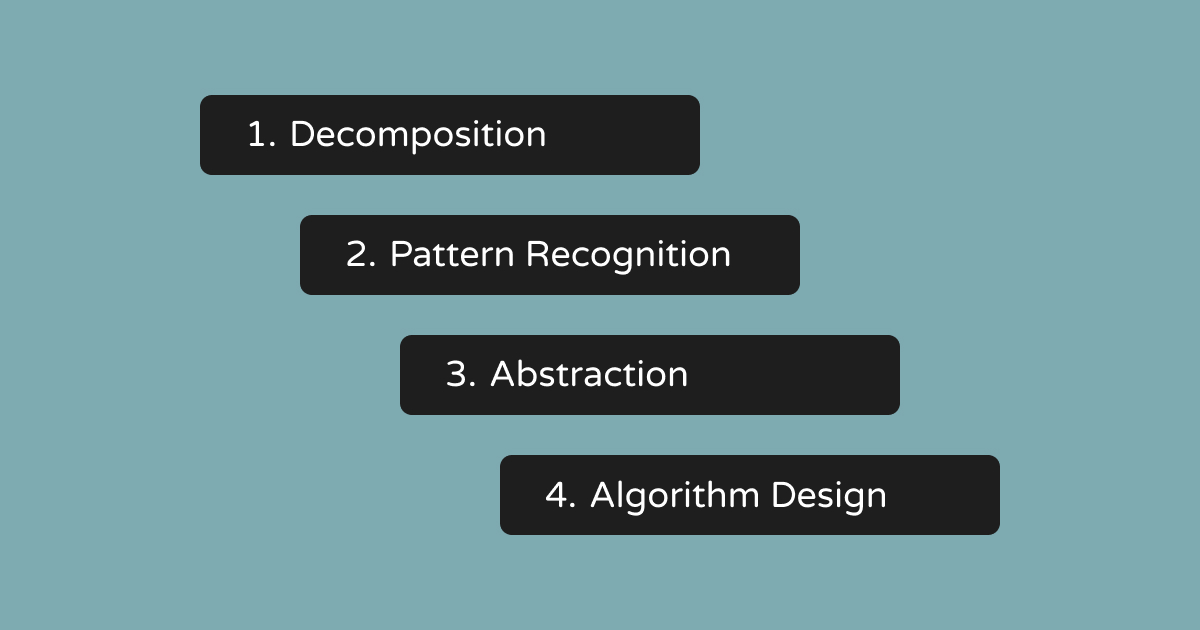
To think like a developer, you need to lean on four core skills.
1. Decomposition: Break it Down
As we introduced it earlier, decomposition is the art of taking a big, complex project and making it small. If you want to build a "To-Do List" app, don't think about the whole app. Think about:
How do I store one single string of text? How do I display that text on a screen? How do I delete that text?
Notice what just happened. A scary, "I-could-never-build-that" project turned into three small questions you can actually answer. That’s the whole trick. Big problems aren’t hard because they’re complex, but because we try to swallow them whole.
2. Pattern Recognition: Find the Shortcuts
Have you done this before? If you’ve built a "Login" screen once, you’ve built the logic for almost every "Input" field you’ll ever encounter. Recognizing patterns allows you to use functions – reusable blocks of code that save you from repeating yourself.
Once you start looking, patterns are everywhere. A "Search" bar takes text, just like that login field did. A shopping cart adds items to a list, just like your to-do app does. The more you code, the more you’ll catch yourself thinking, "Wait, I’ve solved this before" – and that’s a great feeling!
3. Abstraction: Focus on What Matters
When you drive a car, you don’t need to know how the internal combustion engine works to turn the steering wheel. That's an abstraction. In coding, you learn to hide the complex behind-the-scenes stuff so you can focus on high-level logic. When you write print("Hello"), you’re not thinking about how your screen lights up tiny pixels – you just trust it to work.
4. Algorithmic Thinking: The Step-by-Step
Algorithmic thinking is where everything comes together to create a final "recipe" for your project. Once you have broken down the problem and found the patterns, you need to set a path for the computer to follow. It is the process of creating a sequence of instructions that lead to a specific result.
You can think of this as building a map. It involves using logic gates – the "if this happens, then do that" rules – and loops to handle repetitive tasks. You are designing a logical flow, like a flowchart, that guides the computer from the start of the problem to the finished solution.
Let's Put It All Together
Reading about the four pillars is one thing. Watching them work together is another. So let’s build something tiny: a to-do list that lets you add a task and shows you how many you have left.
Watch how the pillars show up, one by one.
Decompose it. What does this feature need to do? Get a task from the user. Save it somewhere. Show the full list. Count what’s left. Suddenly a scary "app" is just four small jobs.
Spot the pattern. Adding a task and, later, editing a task do the same thing: take some text and update a list. You don’t need two brand-new ideas – you need one idea, reused. (Remember that login field?)
Abstract the messy part. You don’t want to rewrite the "save this task" logic every single time. So you wrap it in a function and call it addTask(). Now, whenever you need it, you just call addTask() and trust it to do its job. You’ve stopped caring how it saves, and started caring that it saves.
Write the algorithm. Finally, you set the order: get the text → check it’s not empty → add it to the list → show the updated list → if the list is empty, say "All done!"
That’s it. That’s thinking in code. Just a few small moves, used again and again.
Reading about it gets you halfway – your hands on the keyboard get you the rest of the way. Jump into a Coddy lesson and write your first lines of logic today.
From Passive Following to Active Building
Many beginners fall into the copy-paste trap. This happens when you follow a guide so good that your code works, but you don't fully understand how or why it works. You feel like you're making progress… until you face a blank screen and realize you can't start on your own.
It’s a sneaky trap, because it doesn’t feel like one. Every tutorial you finish feels like a win. But you’re building someone else’s project, not your own thinking. And the moment the training wheels come off, the wobble shows up.
The best way to escape this is through active building – or, as we at Coddy say, learning by doing. Instead of just watching or reading, you need to get your hands on the keyboard. This is why the focus is on interactive challenges.
Use the "Small Wins" Method
Don't try to build a huge, complex application on day 1. Great developers grow by running small experiments and focusing on the logic of a single step.
- Write one line: Start simple, like making the computer print your name.
- Break it on purpose: Intentionally delete a bracket or a quote, then run it. Read the error message – it’s the computer’s way of talking to you, and learning to "speak error" early will save you hours later.
- Fix the logic: If you use AI help, don't just click "Fix." Ask the AI to explain the rule you missed.
Each tiny win stacks on the last. String enough of them together, and one day you’ll look up and realize you just built something real – on your own.
Embrace the "Error" as a Friend
In the real world, being wrong is often seen as a failure. In the world of coding, errors are data. When you run a snippet of code and it fails, the computer isn't judging you. It’s giving you some feedback.
In fact, studies suggest developers spend somewhere between a third and half of their working time tracking down and fixing bugs – not writing shiny new code. Debugging isn’t a detour from the job, but a huge part of the job.
How to Debug Like a Pro
- Read the error message: It usually tells you exactly which line is failing.
- Isolate the problem: Comment out parts of your code until the error disappears. Now you know where the issue is.
- Explain it to a rubber duck: This is a real technique! Explain your code out loud to an inanimate object on your desk. Often, somewhere around line three, you’ll hear yourself say something that isn’t true, and there’s your bug. (No duck? A houseplant or a very patient cat also works.)
Using the Coddy Ecosystem
You don't have to figure this out all by yourself. Modern learning platforms are built to guide you from your very first line of code to the moment you can build anything. By providing a structured path, Coddy helps you practice the "thinking" part of coding through:
- Interactive lessons: These challenge you to type and interact. Building muscle memory is a big part of learning to think in code!
- Quizzes: These test your "logic gates." They challenge you to predict what the code will do before it even runs.
- AI assistance: Think of AI as a partner. Our AI assistant, Bugsy, is here to clarify concepts, like asking, "What is the difference between a loop and a condition?"
- Integrated developer tools: You can use a code editor and a console right in your browser. This removes the stress of setting up a complex system so you can focus entirely on the logic.
When "Thinking" Gets Harder
Thinking in code doesn’t get easier as you improve – it gets bigger.
Once you know how to write a loop or define a variable, you will start connecting the dots. This is where you know the "words" of the language, but you struggle to write a "novel." At this stage, thinking in code grows into something bigger. You start asking:
Is this code efficient? Will this work if 1,000 people use it at once? How do different parts of my program talk to each other?
If those questions feel intimidating, good – it means you’ve moved from "does it run?" to "is it good?" That’s the direction you want to be moving in! And the four pillars don’t go anywhere. You just start using them on bigger and bigger problems.
Code to Think and Think to Code
Thinking in code is a lot like learning a spoken language. At first, you’re translating every word in your head, and it’s exhausting. But eventually, you start to ‘think naturally’ in the language. You stop thinking about variables and arrays and start thinking about storing information and organizing lists.
Don't be afraid of the blank screen. Start small, use the tools at your disposal, and remember:
Every developer you admire started exactly where you are – wondering why their sandwich algorithm didn't work.
Share this article
About the Author

Jana Simeonovska
Content Strategist & Writer
Frequently Asked Questions
What is thinking in code?
Thinking in code is a blend of various cognitive processes all going on at once. The breadth of coding requires many considerations and well planning. For the mind this means combining creative and analytical thinking patterns to solve problems.
What are the 4 types of computational thinking?
The characteristics that define computational thinking are decomposition, pattern recognition / data representation, generalization / abstraction, and algorithms. By decomposing a problem, identifying the variables involved using data representation, and creating algorithms, a generic solution results.
What is logical thinking in coding?
It involves breaking down complex problems into smaller, more manageable steps, considering the order of operations, and devising logical sequences of instructions. Practicing algorithmic thinking improves your ability to create efficient and effective logical flows in your code.
Can anyone learn computational thinking?
Anyone can learn to think like a computer scientist! You will engage with a unique community of analytical thinkers and be encouraged to consider how you can make a positive social impact through computational thinking.