








영화 목록
Coddy HTML 여정의 CSS로 스타일링하기 섹션에 포함된 레슨. 76개 중 74번째.

챌린지
쉬움영화 카드 4개의 스타일을 지정하고 세로로 배열하세요. 완성된 디자인은 아래 이미지와 비슷해 보이겠지만, 원하는 색상을 사용해도 좋습니다.
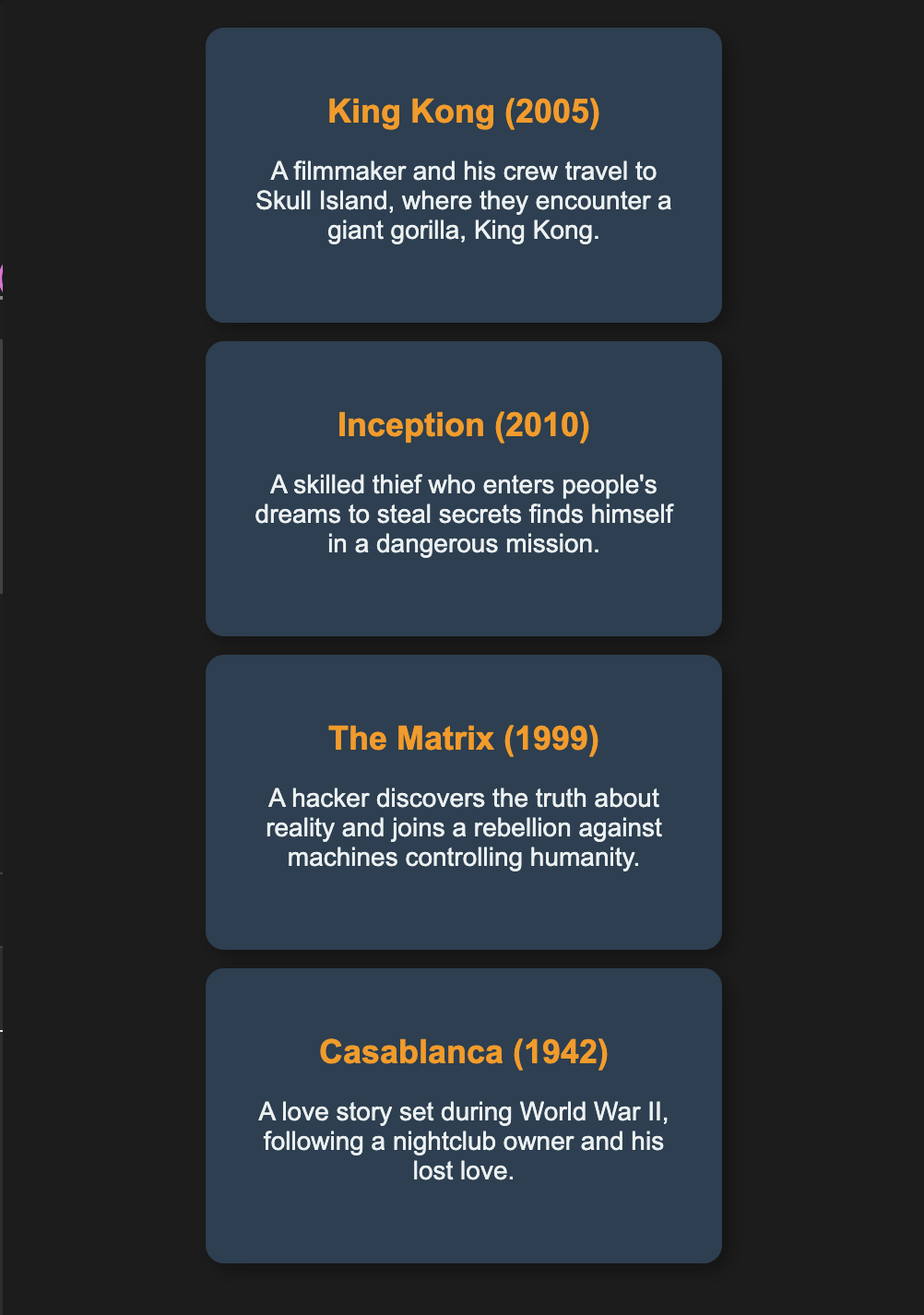
아래 단계를 따르세요:
display: flex; flex-direction: column;을 사용해 영화 카드를 세로로 쌓으세요.justify-content: center;를 사용해 열을 세로 방향으로 가운데 정렬하세요.align-items: center;를 사용해 카드를 적절히 정렬하세요.- 각 영화 카드에 고정 크기와 부드러운 색상을 적용하세요.
- 각 영화 상자에
margin-bottom과padding을 추가해 카드 사이에 간격을 만들고 가독성을 높이세요. - 원치 않는 간격 문제를 방지하기 위해
box-sizing: border-box을 적용하세요. overflow: auto를 사용해 카드 안의 추가 텍스트를 처리하세요.
디자인을 향상하고 시각적으로 더 매력적으로 만들기 위해 box-shadow, border-radius, font-family와 제목에 다른 글꼴 색상을 자유롭게 적용해 보세요.
직접 해보기
<html>
    <head>
        <title>Movies</title>
        <link rel="stylesheet" href="styles.css">
    </head>
    <body>
        <div class="movies">
            <div class="movie">
                <h2>King Kong (2005)</h2>
                <p>A filmmaker and his crew travel to Skull Island, where they encounter King Kong.</p>
            </div>
            <div class="movie">
                <h2>Inception (2010)</h2>
                <p>A thief who enters dreams to steal secrets faces his toughest mission yet.</p>
            </div>
            <div class="movie">
                <h2>The Matrix (1999)</h2>
                <p>A hacker learns the truth about reality and joins the fight against machines.</p>
            </div>
            <div class="movie">
                <h2>Casablanca (1942)</h2>
                <p>A nightclub owner is reunited with his lost love during World War II.</p>
            </div>
        </div>
    </body>
</html>CSS로 스타일링하기의 모든 레슨

직접 연습해 보세요: Web 플레이그라운드