








Arrange Items
Part of the Styling with CSS section of Coddy's HTML journey. Lesson 73 of 76.

Challenge
EasyLet's practice flexbox to create a simple horizontal navigation bar. Use CSS to style the menu to match the design in the image below.
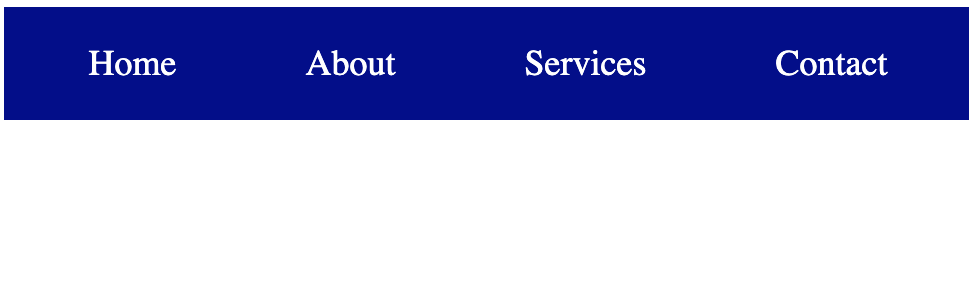
Follow the steps below:
- Set the navigation bar as a flex container.
- Add spacing between the links.
- Use
justify-content: space-aroundto distribute the links evenly.
- Use
- Style the navigation bar.
- Set the background color to
dark blue. - Add some padding to create some space around the links.
- Set the background color to
- Style the navigation links.
- Select the
<a>elements. - Set the text color to
white. - Remove the default underline.
- Set the font size to
18px. - Add
8px 15pxpadding for better spacing.
- Select the
Try it yourself
<html>
    <head>
        <title>Arrange Items</title>
        <link rel="stylesheet" href="styles.css">
    </head>
    <body>
        <nav class="navbar">
          <a href="#">Home</a>
          <a href="#">About</a>
          <a href="#">Services</a>
          <a href="#">Contact</a>
        </nav>
    </body>
</html>All lessons in Styling with CSS

5 Colors and Backgrounds
Background ColorHEX ColorsRGB ColorsTransparency with RGBARecap Challenge #1Practice on your own: Web playground