








Movies List
Part of the Styling with CSS section of Coddy's HTML journey. Lesson 74 of 76.

Challenge
EasyStyle four movie cards and arrange them in a column. The final design will look similar to the image below, but feel free to apply your own colors.
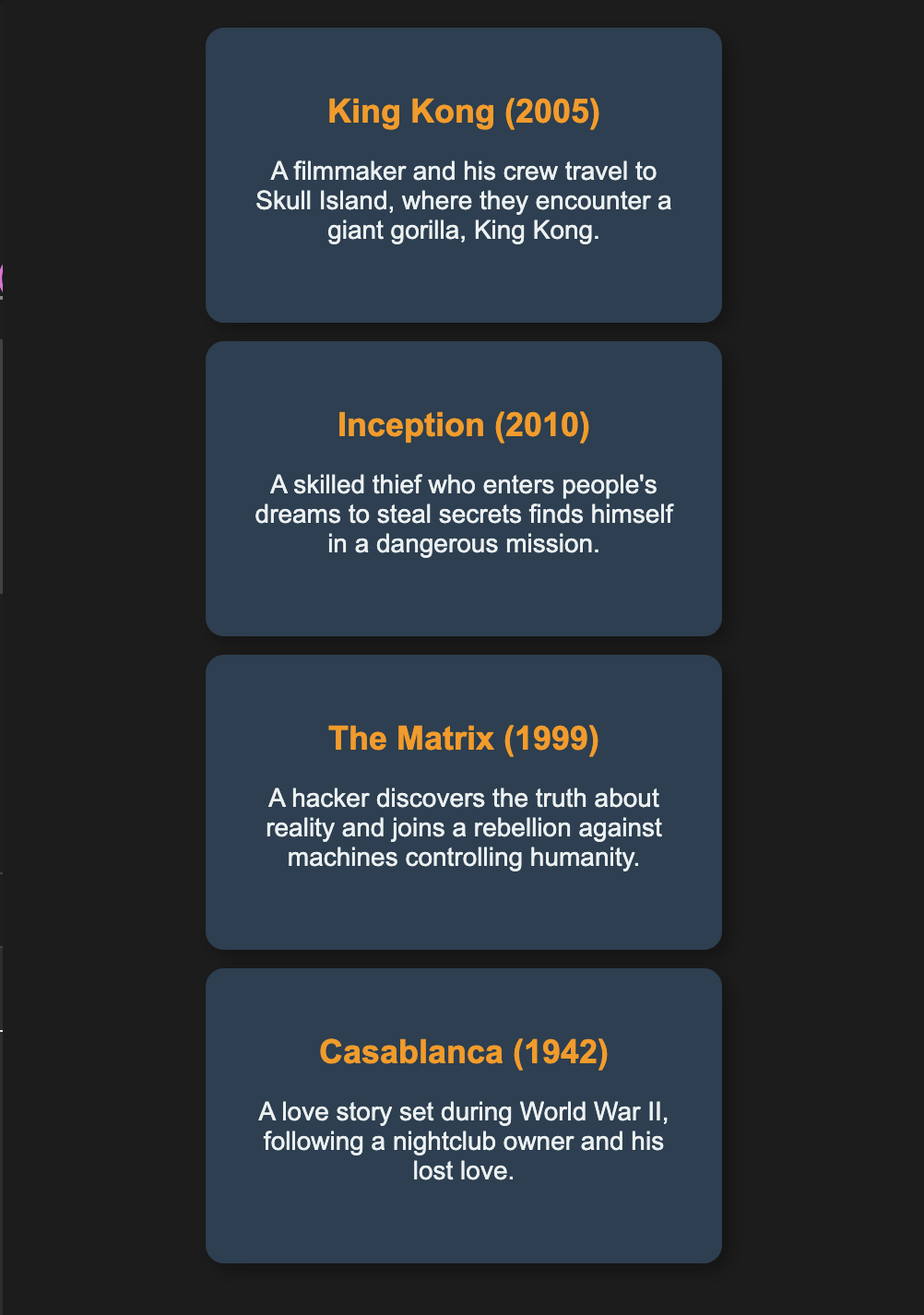
Follow the steps below:
- Use
display: flex; flex-direction: column;to stack the movie cards in a column. - Use
justify-content: center;to center the column vertically. - Use
align-items: center;to align the cards properly. - Style each movie card with a fixed size and soft colors.
- Add some
margin-bottomandpaddingfor each movie box to create spacing between them and improve readability. - Apply
box-sizing: border-boxto prevent unwanted spacing issues. - Use
overflow: autoto handle extra text inside the cards.
Feel free to add box-shadow, border-radius, font-family, and a different font color for the heading to enhance the design and make it more visually appealing.
Try it yourself
<html>
    <head>
        <title>Movies</title>
        <link rel="stylesheet" href="styles.css">
    </head>
    <body>
        <div class="movies">
            <div class="movie">
                <h2>King Kong (2005)</h2>
                <p>A filmmaker and his crew travel to Skull Island, where they encounter King Kong.</p>
            </div>
            <div class="movie">
                <h2>Inception (2010)</h2>
                <p>A thief who enters dreams to steal secrets faces his toughest mission yet.</p>
            </div>
            <div class="movie">
                <h2>The Matrix (1999)</h2>
                <p>A hacker learns the truth about reality and joins the fight against machines.</p>
            </div>
            <div class="movie">
                <h2>Casablanca (1942)</h2>
                <p>A nightclub owner is reunited with his lost love during World War II.</p>
            </div>
        </div>
    </body>
</html>All lessons in Styling with CSS

5 Colors and Backgrounds
Background ColorHEX ColorsRGB ColorsTransparency with RGBARecap Challenge #1Practice on your own: Web playground