








What is the Box Model?
Part of the Styling with CSS section of Coddy's HTML journey. Lesson 33 of 76.
In CSS, every HTML element is treated as a rectangular box, following the Box Model. This model consists of four main parts:
- Content: The actual text, image, or other content inside the box.
- Padding: Space between the content and the border. It increases the size of the element but keeps the background color within.
- Border: A line that surrounds the padding and content. It can have different styles, colors, and widths.
- Margin: Space outside the border that separates the element from other elements.
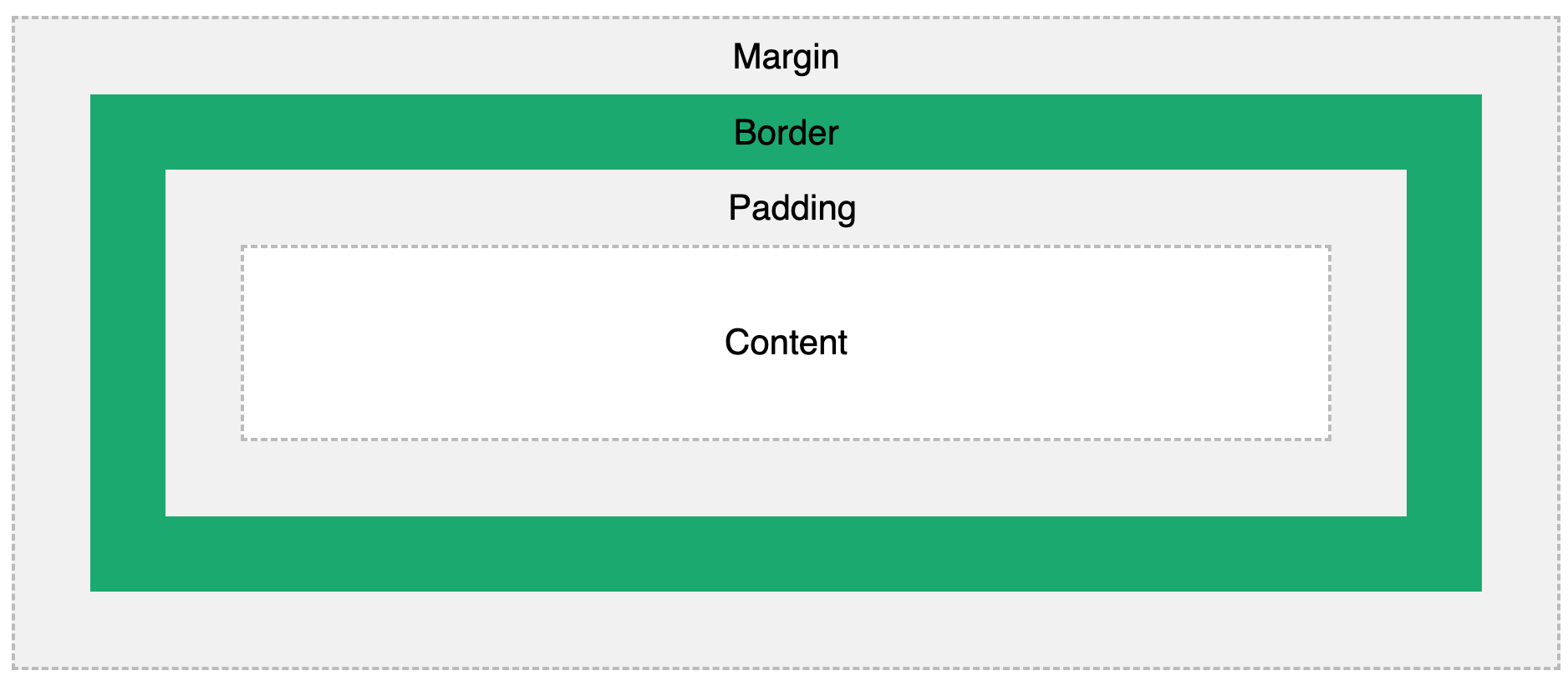
Understanding the Box Model helps in controlling spacing and layout in web design! 🚀
Try it yourself
This lesson doesn't include a code challenge.
 Test yourself
This lesson includes a short quiz. Start the lesson to answer it and track your progress.
All lessons in Styling with CSS

5 Colors and Backgrounds
Background ColorHEX ColorsRGB ColorsTransparency with RGBARecap Challenge #1Practice on your own: Web playground