








Body
Part of the Styling with CSS section of Coddy's HTML journey. Lesson 50 of 76.

Challenge
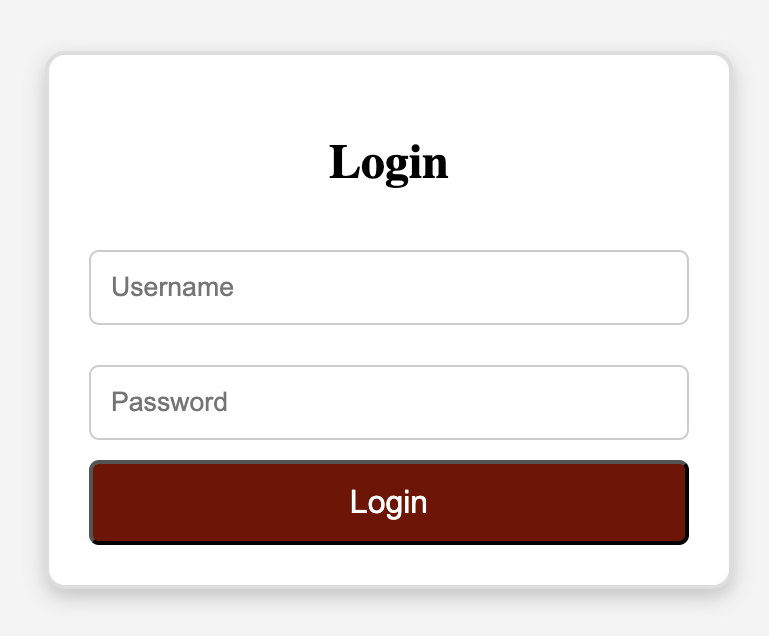
EasyIn this project, we will build and style a simple Login Form. This project will help you practice key CSS concepts, including:
✅ Centering elements perfectly on a webpage
✅ Styling form elements like inputs and buttons
✅ Working with borders, shadows, and spacing
✅ Allowing room for creativity in design
By the end of the project, you will have a well-styled login form that looks modern and polished, similar to the image below.
Apply styles to the <body> tag. Follow the steps below:
- Set the background color to a light shade of your choice.
- Use Flexbox to center the form both horizontally and vertically.
- Set the page height to
100vhso the form remains centered even when resized.
Try it yourself
<html>
<head>
    <title>Login Form</title>
    <link rel="stylesheet" href="styles.css">
</head>
<body>
    <form class="login-form">
        <h2>Login</h2>
        <input type="text" placeholder="Username">
        <input type="password" placeholder="Password">
        <button type="submit">Login</button>
    </form>
</body>
</html>
All lessons in Styling with CSS

5 Colors and Backgrounds
Background ColorHEX ColorsRGB ColorsTransparency with RGBARecap Challenge #1Practice on your own: Web playground